
How to Generate E-Way Bills in Bill Saathi
Generate automated, government-compliant E-Way Bills directly from your dashboard in just a few seconds. Follow this simple 3-step guide.
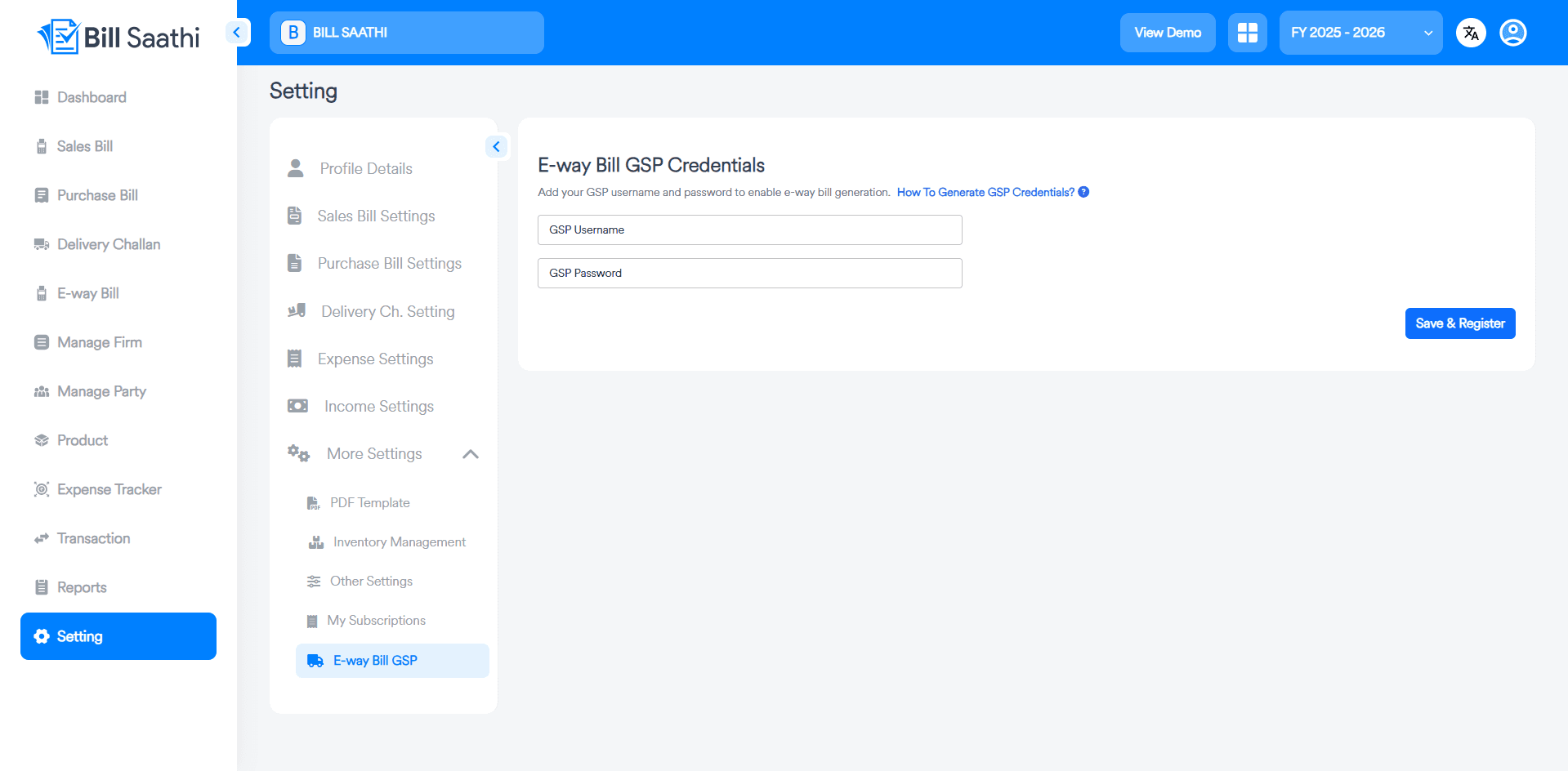
Configure GSP Credentials
First, ensure your GSP credentials are set up in Bill Saathi settings to enable automation.
- Navigate to the Setting menu from your dashboard sidebar.
- Click on More Settings and select the E-way Bill GSP option.
- Enter your GSP Username and GSP Password correctly.
- Click the Save & Register button to activate the connection.
Select Bill and Generate
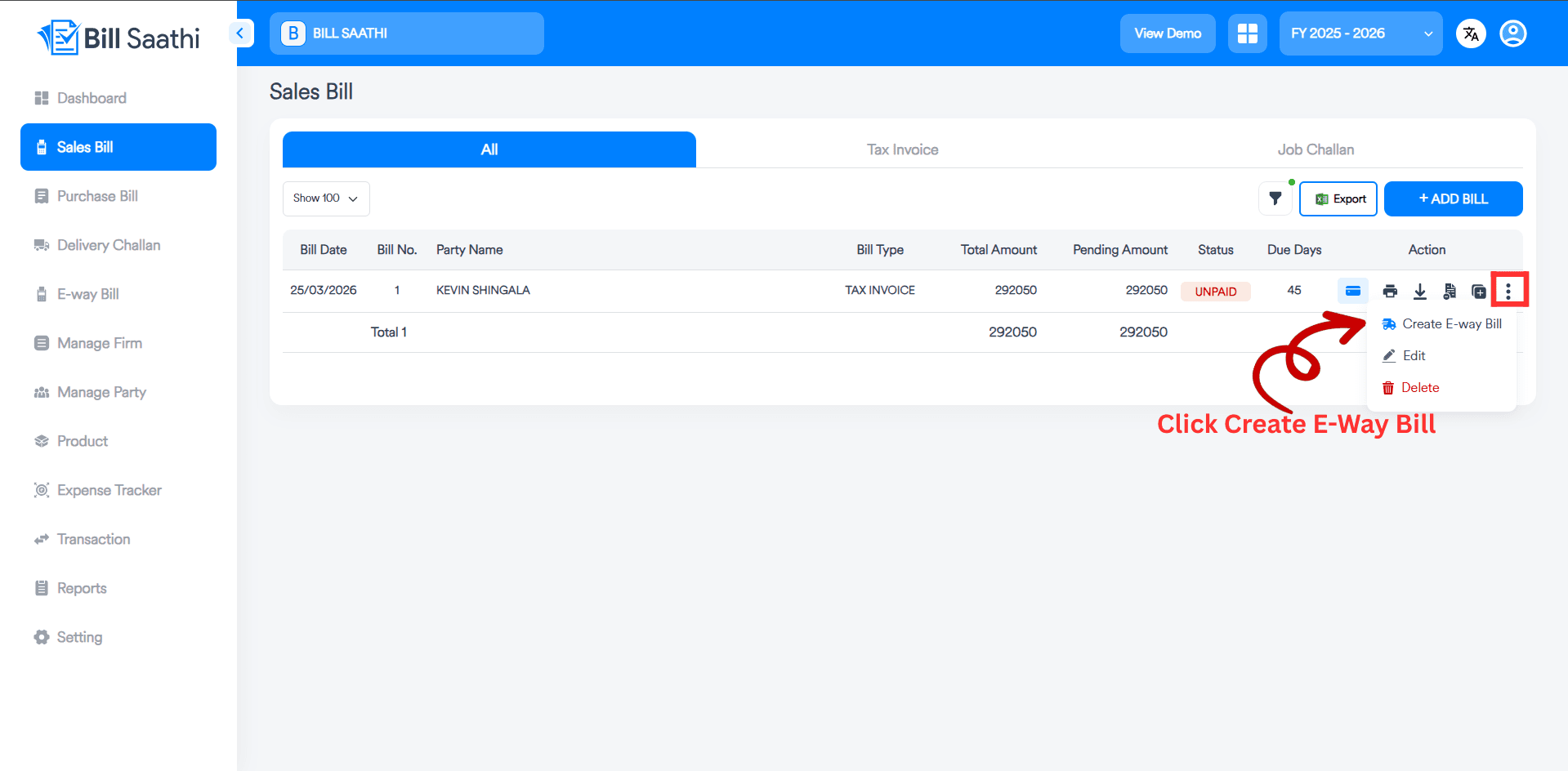
Go to your Sales Bill list and choose the invoice you want to generate an E-way bill for.
- Open the Sales Bill section from the dashboard.
- Find the specific bill and click on the three dots icon in the action column.
- Select the Create E-way Bill option from the dropdown menu.
- A modal window will appear to collect transport information.
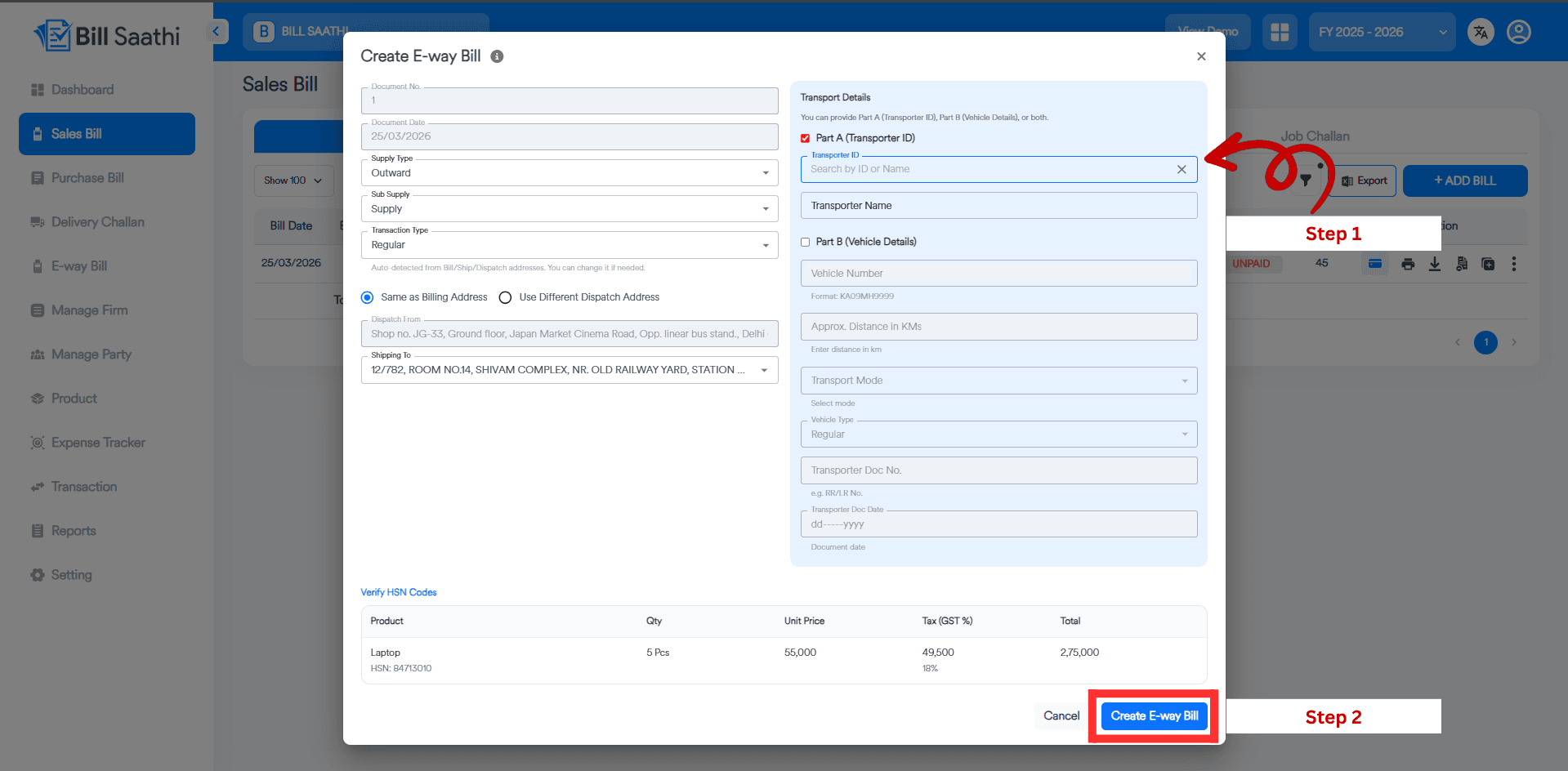
Provide Details and Finish
Fill in the required transportation and distance details to generate your E-way bill.
- Select either Part A (Transporter ID) or Part B (Vehicle Details) based on your requirement.
- Enter the Transporter ID for Part A, or provide the Vehicle Number and Distance in KMs if you select Part B.
- Verify the HSN codes and item quantities at the bottom.
- Click the Create E-way Bill button to generate it instantly on the government portal.
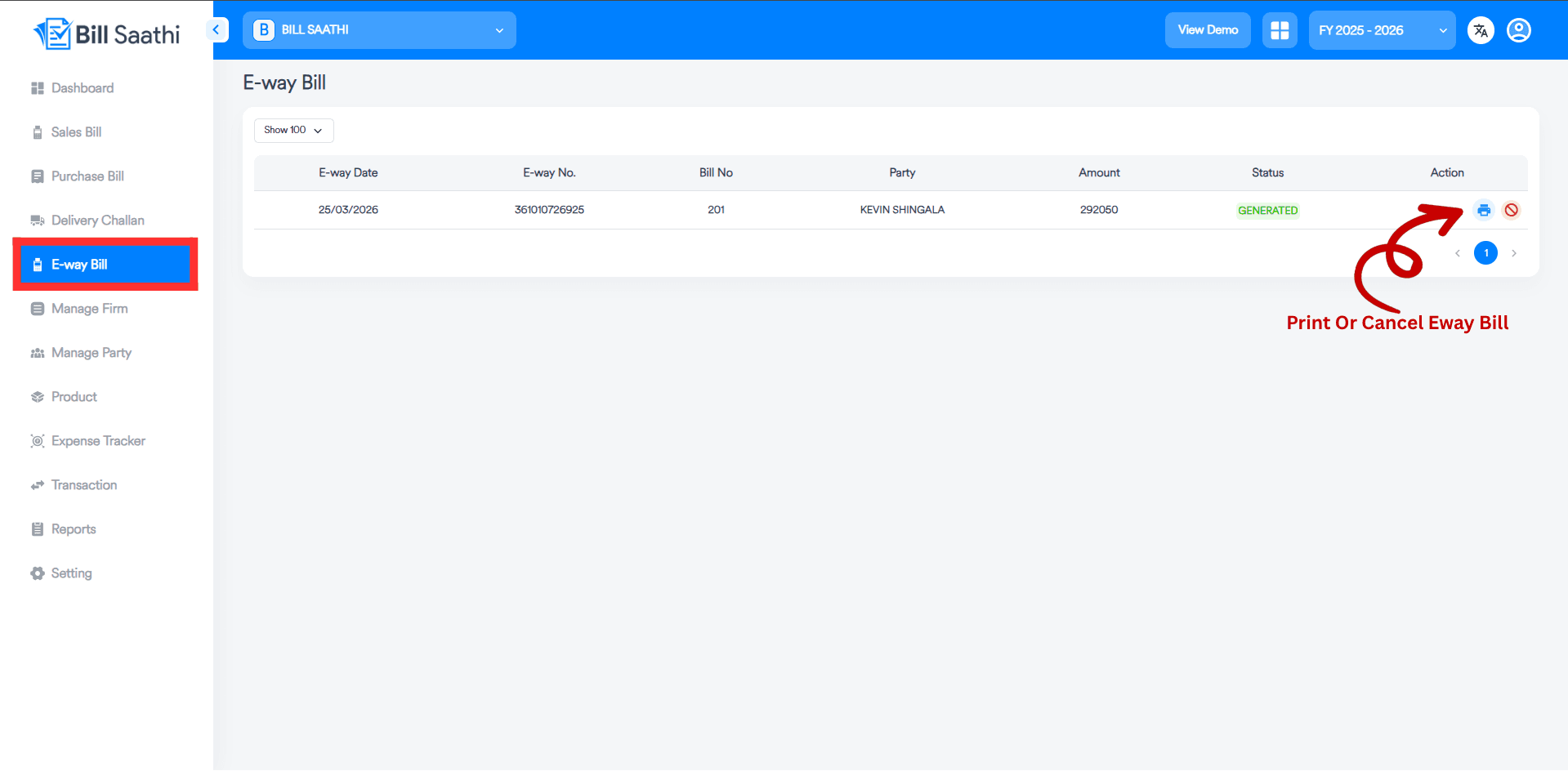
Manage Generated E-Way Bills
View, print, or cancel your generated E-way bills from the dedicated section.
- Go to the E-way Bill menu from the dashboard sidebar.
- You will see a list of all generated bills with their status.
- Click the Print icon to download or print the official PDF.
- Use the Cancel icon if you need to revoke a bill (within 24 hours).
View Official E-Way Bill PDF
The system generates an official, government-compliant PDF with a QR code.
- The PDF includes all Goods Details and Transportation Details.
- It features the official QR Code for scanning by authorities.
- You can share this PDF directly with your transporter or driver.
- Includes all tax breakdowns (CGST, SGST, IGST) as per regulation.
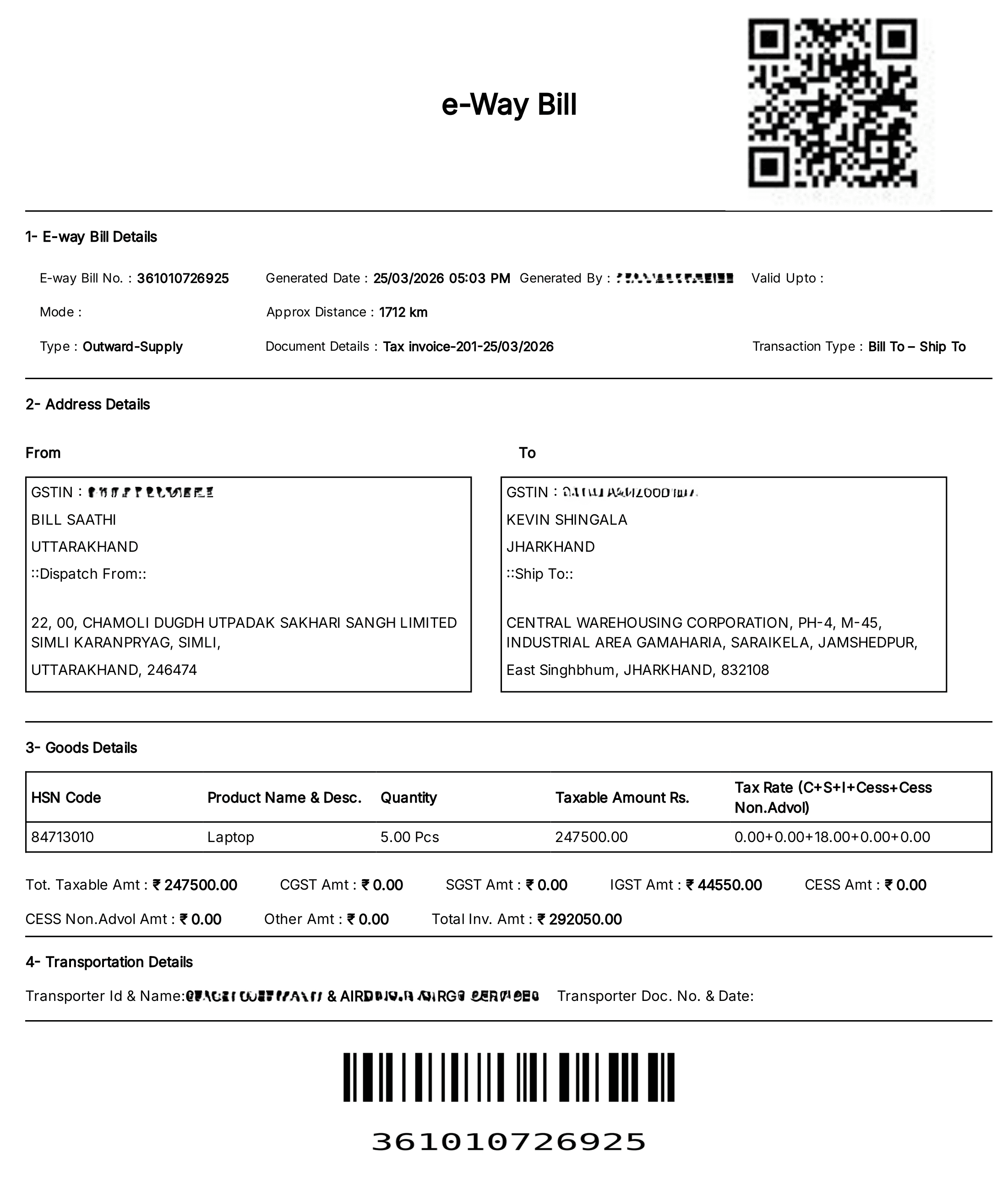
E-Way Bill Generation Successful
Once generated, your e-way bill is live on the government portal and can be printed or shared directly from Bill Saathi.
Instant Portal Sync
The bill is automatically registered with the GST network.
PDF Generation
Download the formatted E-Way Bill PDF with QR Code.
Archive & Track
All your generated bills are stored in the E-way Bill section for records.
Cancel If Needed
You can also cancel bills within 24 hours if there's an error.
Ready to simplify your billing?
Stop wasting hours on manual paperwork. Experience the power of automated E-Way bills today.
Go to Bill Saathi