
GSP Credential Setup Guide for E-Way Bill
Connect Bill Saathi with the official Government E-Way Bill portal through Masters India Pvt. Ltd. (Authorized GSP). Generate E-Way Bills directly from your invoices in seconds.
Open GSP Registration Page
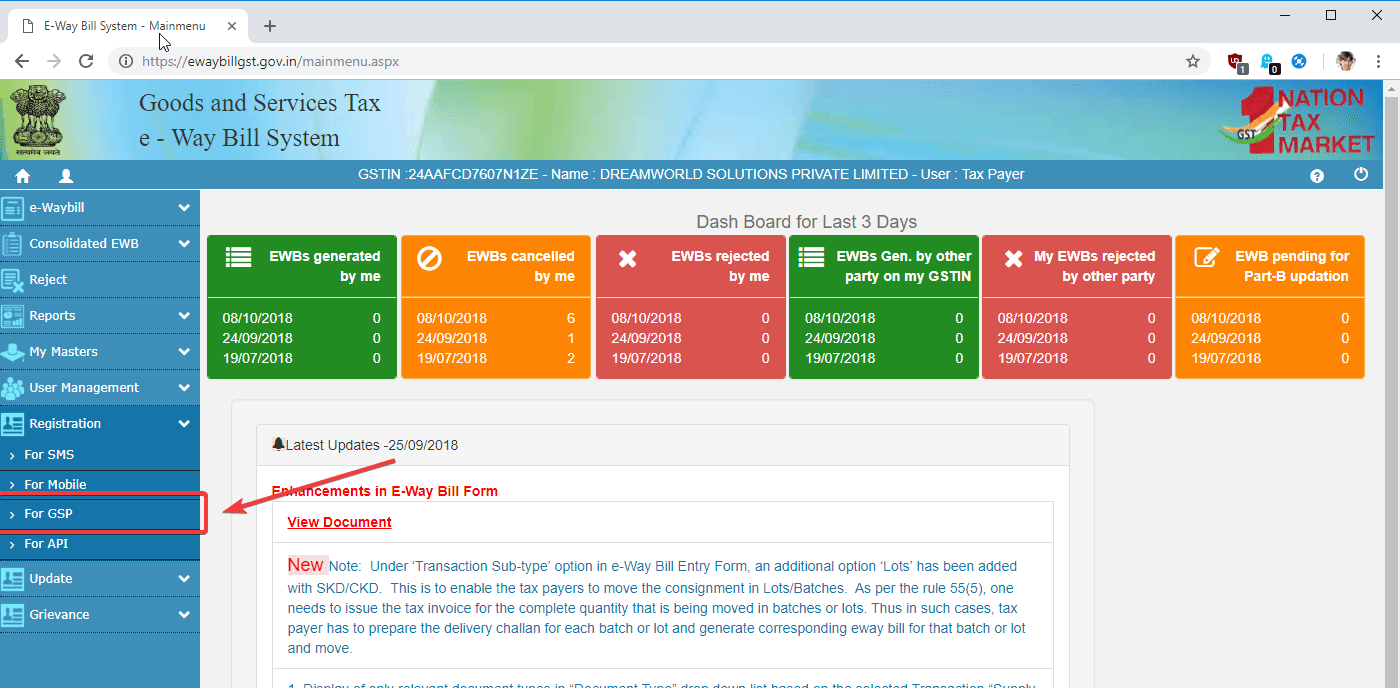
Login into the Government E-Way Bill portal and navigate to the GSP registration section.
- Log in into the Government E-Way Bill portal using your Username and Password.
- After login, look at the left side navigation menu.
- Find the menu item called 'Registration'.
- Click on 'Registration' to expand the menu options.
- Select the option 'For GSP'.
- This will open the 'Register your GST Suvidha Provider' page.
Send OTP for Verification
Verify your registered mobile number to continue the GSP registration process.
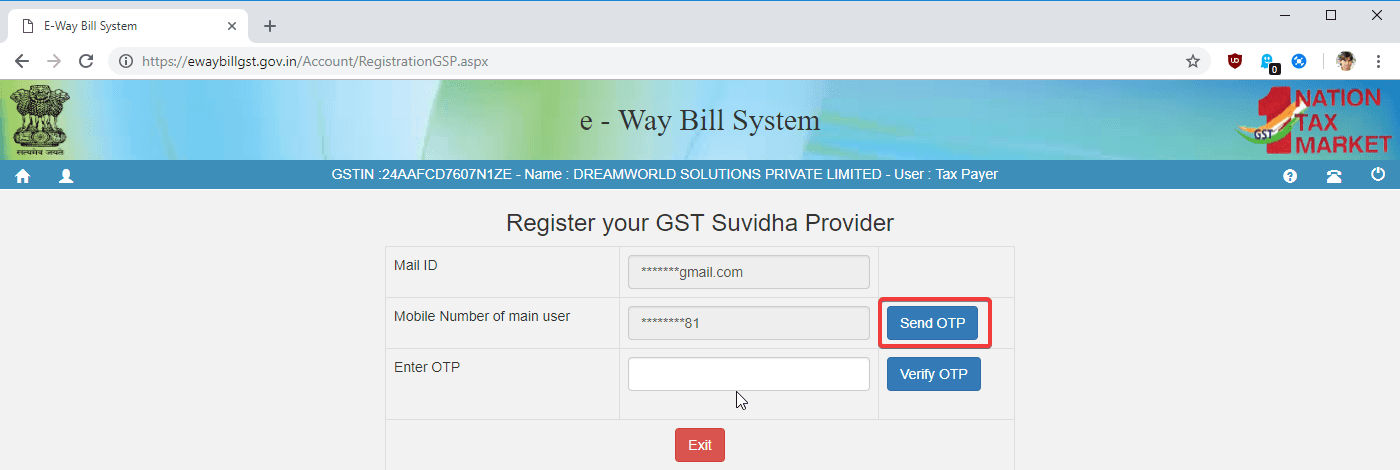
- On the 'Register your GST Suvidha Provider' page you will see your masked email and mobile number.
- For security verification, you need to confirm your identity using OTP.
- Click the 'Send OTP' button.
- You will receive a 6-digit OTP on your registered mobile number.
Verify OTP
Enter the OTP received on your mobile number to proceed.
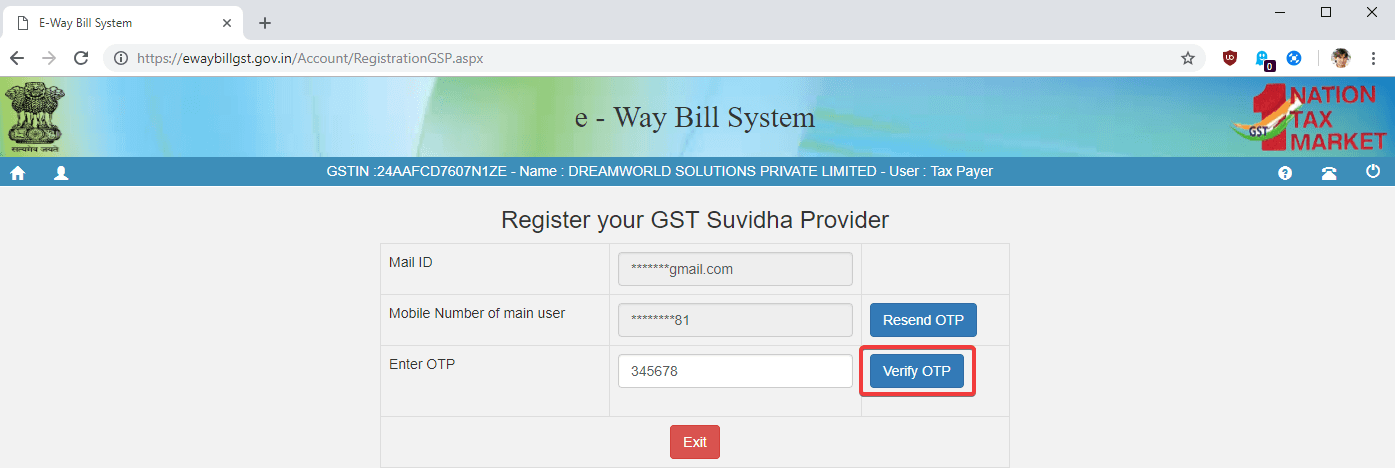
- Enter the OTP you received on your registered mobile number.
- Type the OTP in the 'Enter OTP' field.
- Click the 'Verify OTP' button.
- After successful verification, the GSP registration section will be unlocked.
Start New GSP Registration
Open the new GSP registration form.
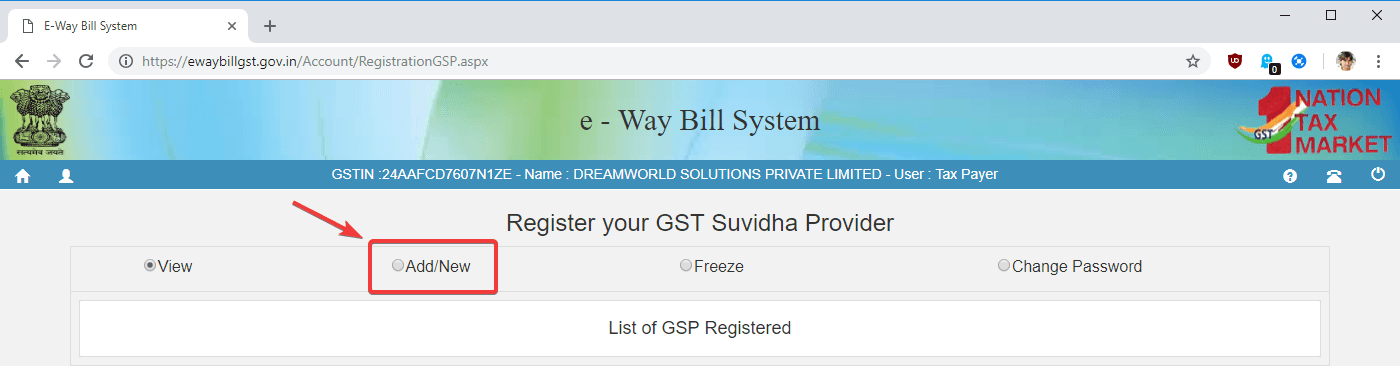
- On the 'Register your GST Suvidha Provider' page, select the 'Add/New' option.
- This will open the GSP registration form where you can create your credentials.
Fill GSP Registration Details
Enter the required details to register your GST Suvidha Provider.
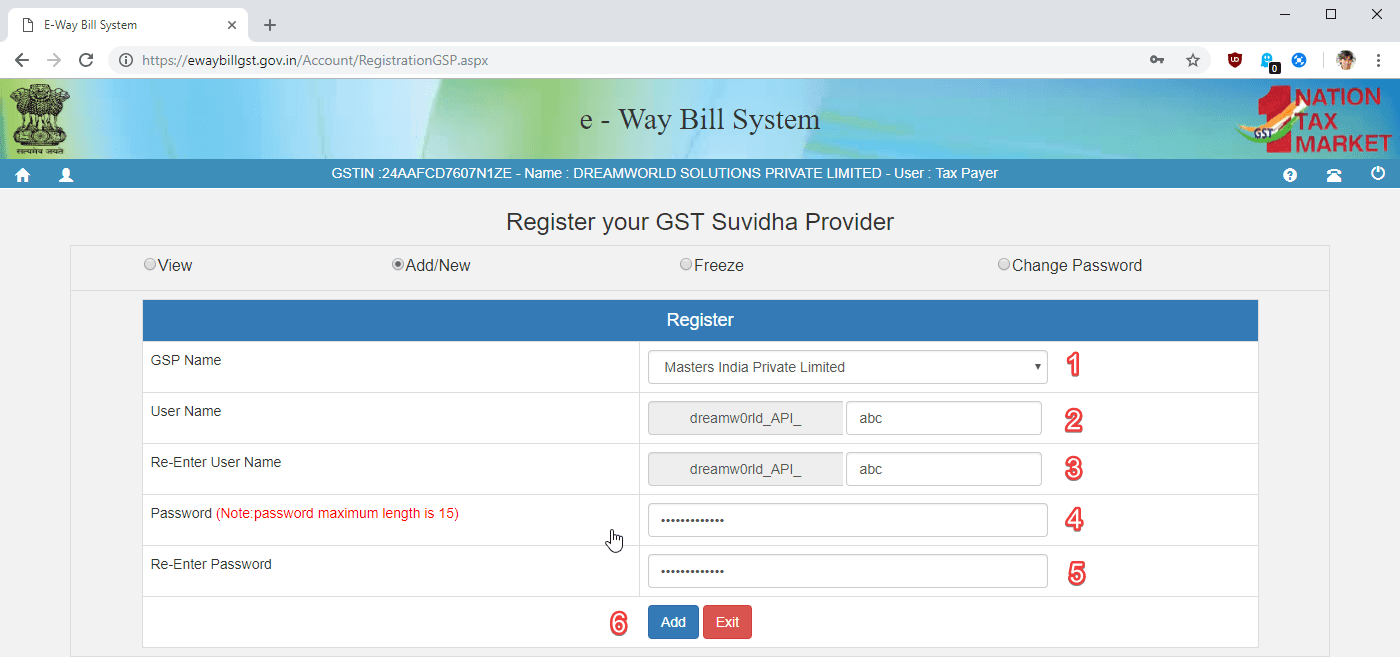
- Choose 'Masters India Private Limited' as the GSP Name.
- Add a 3 character suffix in the Username field.
- Re-enter the same suffix in 'Re-Enter User Name'.
- Create a secure password (minimum 12 characters).
- Re-enter the same password in 'Re-Enter Password'.
- Click the 'Add' button to complete the registration.
Registration Completed
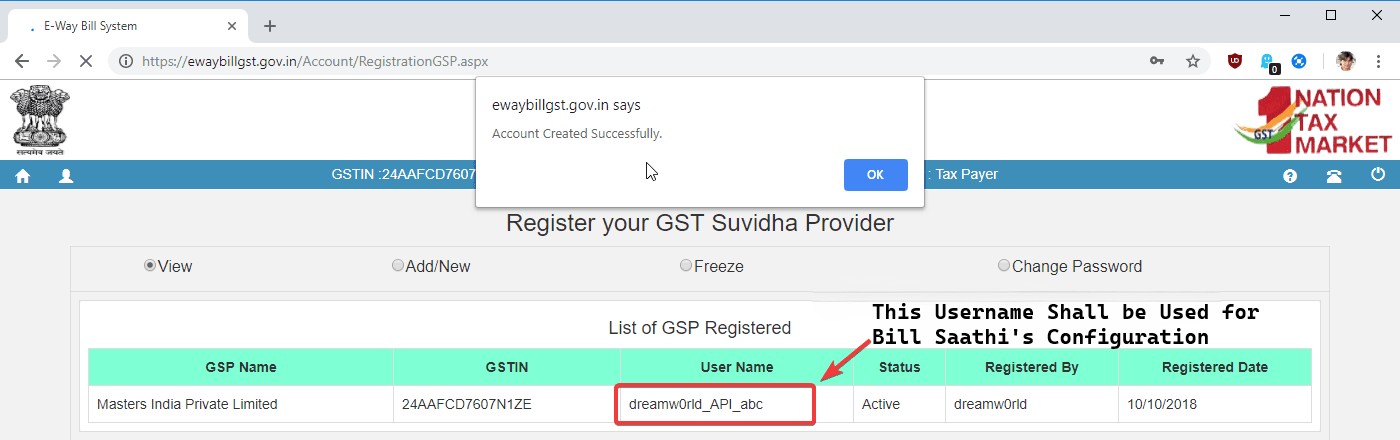
After registration you will see your generated GSP username.
- Once the registration is completed, your details will appear in the registered GSP list.
- Your username will be displayed in the table.
- This username will be used for Bill Saathi configuration.
- Use this username and the password you created to connect Bill Saathi with the E-Way Bill system.
Activate Integration in Bill Saathi
Enter the GSP credentials you created on the Government portal into Bill Saathi to start generating E-Way Bills instantly.
Open Settings
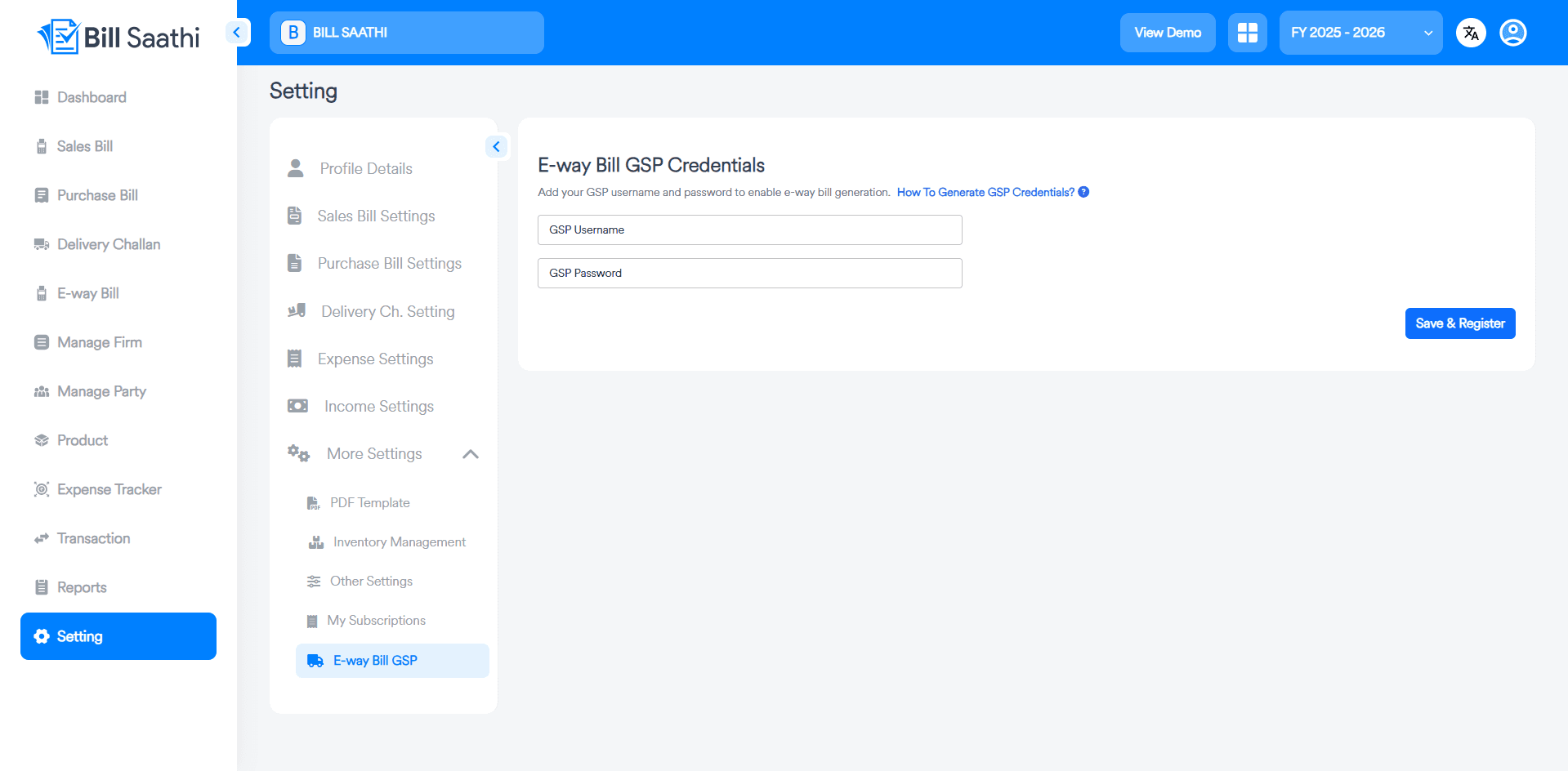
Navigate to the Setting menu from your dashboard sidebar.
Select GSP
Click on More Settings and select the E-way Bill GSP option.
Enter Credentials
Provide your GSP Username and Password from the portal.
Save & Live
Click Save & Register to activate your automated e-way bills.
Ready to automate your compliance?
Stop wasting hours on manual data entry. With Bill Saathi, your E-Way bills are just a click away from being generated.
Start Your 7-Day Free Trial